
Showing posts with label pinterest. Show all posts
Showing posts with label pinterest. Show all posts
Tuesday, February 19, 2013
I Still Have the Flu
Today is day 7 of me having the flu. I still have a fever, my lungs hurt, my throat hurts, and my back hurts. One good thing has come out of this though. I have finally started watching 30 Rock on Netflix and I love it. Liz Lemon is ridiculous and awesome, even moreso because of all of the Star Wars references she makes. So I am sorry for neglecting my blog but I just need to rest and try to get better right now. Thank you for understanding. I have also been reading Pinterest Fail blogs and Pinning like crazy. Check out all of my Pin boards, organized in true OCD fashion by number of pins.
0
of you tumbled down the rabbit hole

 categorized as:
30 Rock,
down with the sickness,
flu,
Netflix,
OCD,
pinterest
categorized as:
30 Rock,
down with the sickness,
flu,
Netflix,
OCD,
pinterest
categorized as:
30 Rock,
down with the sickness,
flu,
Netflix,
OCD,
pinterest
Wednesday, February 6, 2013
One of My Newest Favorite Artists
One thing I adore about Pinterest is the fact that I'm discovering all sorts of amazing artists, who I would have probably never heard of without it. Today I would like to share one of newest favorite artists with you. Her name is Courtney Brims, and not only does she make amazing art, she has one of the coolest websites ever. Check out the entry screen.
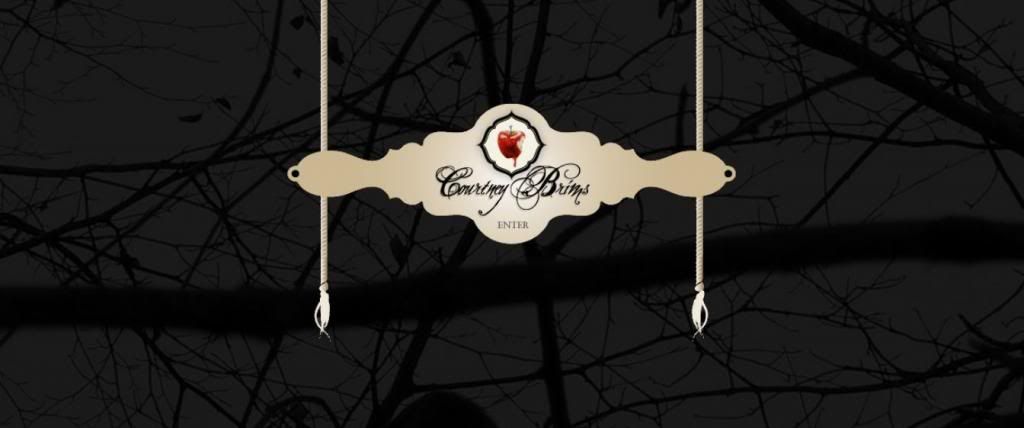
Courtney Brims does a lot of great fairy tale themed art. You seriously need to check out her gallery. Her gallery shows tiny thumbnails of each piece, so you should click them to see the whole thing. She has done so much amazing artwork! She sells prints, greeting cards, gift tags, and postcards in her shop. Her images are copyrighted so I'm not going to post any on here, but trust me and check them out. You will not be disappointed.
Who is your favorite artist?
Courtney Brims does a lot of great fairy tale themed art. You seriously need to check out her gallery. Her gallery shows tiny thumbnails of each piece, so you should click them to see the whole thing. She has done so much amazing artwork! She sells prints, greeting cards, gift tags, and postcards in her shop. Her images are copyrighted so I'm not going to post any on here, but trust me and check them out. You will not be disappointed.
Who is your favorite artist?
Friday, November 23, 2012
I'm Thankful for Pinterest
I really am thankful for Pinterest and also I'm trying to write a post before the big game comes on in a couple of minutes. Pinterest has taught me stuff I didn't know about myself, like I love striped clothing and shabby chic design. If you like what you see go follow me on Pinterest. I have lots of other boards too.


Tuesday, August 28, 2012
How to Add a Pin it Button to all of your Posts
All credit for css goes to http://danialde4.blogspot.com/2012/08/facebook-like-tweet-google-1-buffer-and_24.html. I just took the Pinterest portion of his share button code. I am not a css ninja, but this was easy enough for me to do. Also I know that this works for Blogger, but I am not sure if it is the same for other sites, so someone should try it and let me know. Thanks : )
Before you edit your HTML, it is a good idea to save your template by clicking Backup/Restore after going to the template (In Blogger, just click Design in the top bar). Then click Proceed when it asks if you want to edit the HTML. Next you need to check the box marked "Expand widget templates". Search for data:post.body
(On a PC, you can search by pushing Ctrl and F.)
Danial says that if you find it three times, use the second one. I only found it twice, so I used the first one. After the part that says <data:post.body>, paste
<!-- Pinterest Start -->
<div id='pin-wrapper' style='display: inline; padding-left: 25px;'>
<a class='pin-it-button' count-layout='horizontal' expr:href='"http://pinterest.com/pin/create/button/?url=" + data:post.url'>Pin It</a>
<a href='javascript:void(run_pinmarklet())' style='margin-left:-93px; width:43px; height:20px; display:inline-block;'/>
</div>
<script src='http://assets.pinterest.com/js/pinit.js' type='text/javascript'/>
<script type='text/javascript'>
function run_pinmarklet() {
var e=document.createElement('script');
e.setAttribute('type','text/javascript');
e.setAttribute('charset','UTF-8');
e.setAttribute('src','http://assets.pinterest.com/js/pinmarklet.js?r=' + Math.random()*99999999);
document.body.appendChild(e);
}
</script>
<!-- Pinterest End -->
Then click Preview and make sure it worked. If it did, click Save Changes and then you're done. It goes onto all of your previously published posts and all of the posts you write in the future.
Before you edit your HTML, it is a good idea to save your template by clicking Backup/Restore after going to the template (In Blogger, just click Design in the top bar). Then click Proceed when it asks if you want to edit the HTML. Next you need to check the box marked "Expand widget templates". Search for data:post.body
(On a PC, you can search by pushing Ctrl and F.)
Danial says that if you find it three times, use the second one. I only found it twice, so I used the first one. After the part that says <data:post.body>, paste
<!-- Pinterest Start -->
<div id='pin-wrapper' style='display: inline; padding-left: 25px;'>
<a class='pin-it-button' count-layout='horizontal' expr:href='"http://pinterest.com/pin/create/button/?url=" + data:post.url'>Pin It</a>
<a href='javascript:void(run_pinmarklet())' style='margin-left:-93px; width:43px; height:20px; display:inline-block;'/>
</div>
<script src='http://assets.pinterest.com/js/pinit.js' type='text/javascript'/>
<script type='text/javascript'>
function run_pinmarklet() {
var e=document.createElement('script');
e.setAttribute('type','text/javascript');
e.setAttribute('charset','UTF-8');
e.setAttribute('src','http://assets.pinterest.com/js/pinmarklet.js?r=' + Math.random()*99999999);
document.body.appendChild(e);
}
</script>
<!-- Pinterest End -->
Then click Preview and make sure it worked. If it did, click Save Changes and then you're done. It goes onto all of your previously published posts and all of the posts you write in the future.
Wednesday, April 11, 2012
How Not to "Be Inspired"
From the comments on this post, I realize that people are taking this post in a way that I didn't really intend it. I never said that I was a good writer. What I'm really trying to say here is just that artists should respect one another. That's all.
Pinterest is, for the most part, really wonderful, in my opinion. (Holy commas, Batman!) But there is one big problem. It's not necessarily a problem with the site itself. It's a problem with some of the people there. Some people seem that everything on the site is there for them to DIY it. As an artist, I have a problem with how some people go about this. For example, when you see my pin called "my new spring line" and then you repin it as "jewelry ideas", I can't help but worry that you are the type of person who thinks that they can make that exact same thing for less. There are people, like me, who need to sell their products in order to make ends meet and keep from being homeless. So if someone like you sees my jewelry, which I might add is very reasonably priced, and then proceeds to make the same exact thing, I don't think that's okay. It is my personal opinion that that is disrespectful. I wouldn't do it, because I wouldn't feel like it was okay. Sure, I don't have a copyright on my designs. And I understand if you think a technique is cool and want to try it yourself. But there are right and wrong ways to be inspired. First of all, if you click to the source of the thing you want to make and it's a tutorial about how to make the thing, that's different than if it is linked from a shop where you can buy the product. One of my biggest pet peeves is when a person sees something cool and then thinks, "That's so unique. I should make that same thing and sell it for less than them." It's not a legal issue at all, but it is a matter of respect. People take more time than you might expect to come up with their ideas before they even begin to make something. You need to take that into account. If you are truly using someone else's product for inspiration, then maybe you use a small aspect of it in your own design. You do not simply make the same thing in a different color. That is like copying someone's essay word for word, then changing the font and turning it in as your own. It's still all the other person's work. You just made one simple change which does not make it yours. I know that are lots of other things to say on this topic, but that's all I'll say for right now.
Pinterest is, for the most part, really wonderful, in my opinion. (Holy commas, Batman!) But there is one big problem. It's not necessarily a problem with the site itself. It's a problem with some of the people there. Some people seem that everything on the site is there for them to DIY it. As an artist, I have a problem with how some people go about this. For example, when you see my pin called "my new spring line" and then you repin it as "jewelry ideas", I can't help but worry that you are the type of person who thinks that they can make that exact same thing for less. There are people, like me, who need to sell their products in order to make ends meet and keep from being homeless. So if someone like you sees my jewelry, which I might add is very reasonably priced, and then proceeds to make the same exact thing, I don't think that's okay. It is my personal opinion that that is disrespectful. I wouldn't do it, because I wouldn't feel like it was okay. Sure, I don't have a copyright on my designs. And I understand if you think a technique is cool and want to try it yourself. But there are right and wrong ways to be inspired. First of all, if you click to the source of the thing you want to make and it's a tutorial about how to make the thing, that's different than if it is linked from a shop where you can buy the product. One of my biggest pet peeves is when a person sees something cool and then thinks, "That's so unique. I should make that same thing and sell it for less than them." It's not a legal issue at all, but it is a matter of respect. People take more time than you might expect to come up with their ideas before they even begin to make something. You need to take that into account. If you are truly using someone else's product for inspiration, then maybe you use a small aspect of it in your own design. You do not simply make the same thing in a different color. That is like copying someone's essay word for word, then changing the font and turning it in as your own. It's still all the other person's work. You just made one simple change which does not make it yours. I know that are lots of other things to say on this topic, but that's all I'll say for right now.
 |
| This is clearly my own work now, because I added lipstick. |
4
of you tumbled down the rabbit hole
categorized as:
creativity,
how not to do things,
inspiration,
pinterest,
respect
categorized as:
creativity,
how not to do things,
inspiration,
pinterest,
respect
Subscribe to:
Posts (Atom)